


For engineers, product developers, and small-shop owners, understanding how to use a CNC machine is essential for producing high-precision components efficiently. CNC machines offer unmatched accuracy, repeatability, and the ability to create complex geometries, which is why industries from automotive to electronics rely on them. At XIN SHANG METAL, we provide expert CNC machining services, helping clients transform their designs into finished, reliable parts. This guide walks you through the practical steps to use a CNC machine—from initial design and setup to final inspection—so that first-time users can confidently operate machinery and achieve professional results. Proper understanding of CNC operation not only improves productivity but also ensures the longevity of the machine and reduces the risk of scrap or accidents in the workshop.
Before turning on a CNC machine, preparing a manufacturable design is critical. Even the most advanced CNC machine cannot compensate for a poorly planned part. Design for Manufacturability (DFM) principles help simplify machining, reduce production errors, and optimize material use.
Certain design aspects make using a CNC machine more challenging:
Deep pockets: Difficult to reach and can cause tool deflection or vibration.
Thin walls: May flex during cutting, leading to dimensional inaccuracies.
Tight radii: Require specialized tools, slowing down production.
Complex curves and freeform surfaces: Often need 5-axis machining and more setup time.
Identifying these issues early allows first-time users to plan machining sequences, select suitable tools, and minimize trial-and-error on the CNC machine.
A checklist for designs that are easier to machine:
Maintain wall thickness above minimum recommended limits.
Avoid extremely sharp internal corners; add fillets.
Reduce deep pockets unless necessary for function.
Combine small features to reduce tool changes.
Standardize hole sizes to match available tools.
Apply tolerances only where functionally critical.
Keep geometries simple for fewer setups.
Select materials with good machinability for initial CNC projects.
Consider the orientation of parts on the machine bed to minimize setups and maximize rigidity.
By applying these principles, first-time users can operate CNC machines efficiently and achieve consistent results.
After the design stage, the next step in learning how to use a CNC machine is converting the CAD model into machine instructions.
Start with a CAD file in formats like STEP, IGES, or STL. CAM software converts the design into toolpaths, which guide the CNC machine.
2.5D milling: Efficient for flat surfaces and simple profiles.
3D contouring: Needed for sculpted surfaces or molds.
Drilling cycles: Automates repetitive holes for consistency.
Simulation is a vital step for first-time users:
Detect potential collisions with the machine, tools, or fixtures.
Estimate machining time and predict surface finish quality.
Adjust feeds, depths, and tool selections before actual machining.
At XIN SHANG METAL, every simulation is reviewed to ensure smooth, safe operation, even for beginners.
Proper tools and fixtures are key to successfully using a CNC machine.
Choosing the right tool involves material, geometry, and finish requirements:
Endmills: For milling surfaces, slots, and pockets.
Inserts: Replaceable carbide inserts for turning or heavy cutting.
Coatings: Titanium nitride or TiAlN coatings improve wear resistance and machining speed.
Tool length and rigidity: Shorter, rigid tools reduce chatter and vibration.
Secure fixturing ensures precision:
Use vises, clamps, or custom fixtures for stability.
Avoid unsupported areas prone to vibration.
Soft jaws or sacrificial clamps are ideal for irregular shapes.
Double-check alignment and leveling before starting the machine.
A stable setup reduces errors, improves surface quality, and allows first-time users to confidently operate the CNC machine.
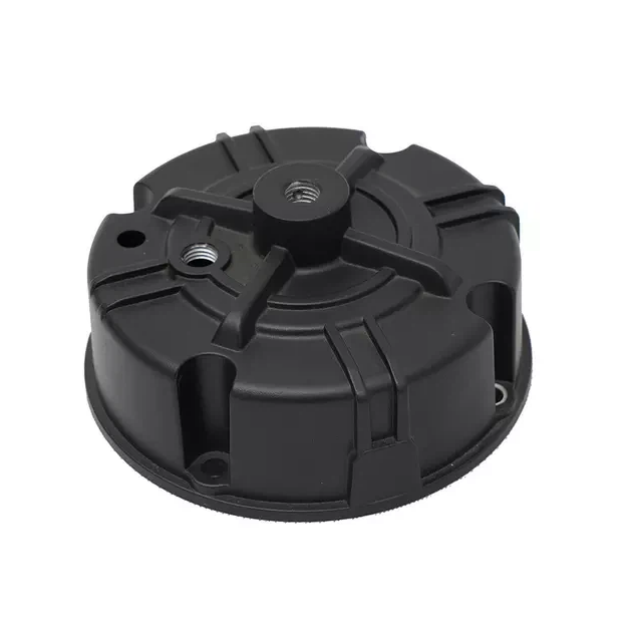
Once the setup is complete, operation begins. Correct parameters, inspections, and post-processing guarantee high-quality parts.
Adjust spindle speed and feed to match tool and material properties.
Incorrect settings can cause chatter, burning, or tool breakage.
Gradually ramp speeds for the first piece to observe performance.
Machine the first part and check critical dimensions with calipers or micrometers.
Adjust offsets, spindle speeds, or feeds as necessary before full production.
Roughing pass removes most material quickly.
Finishing pass refines dimensions and improves surface finish.
Multiple finishing passes may be needed for tight tolerances or complex geometries.
Deburring ensures safe edges and ease of assembly.
Surface treatments like anodizing, powder coating, or plating increase durability.
Polishing or plating may be applied for electrical or aesthetic requirements.
Attention to finishing guarantees a professional-quality part.
First-time CNC users often encounter operational challenges. Understanding common issues saves time and reduces scrap.
Chatter or vibration: Adjust feed, spindle speed, or switch to a more rigid tool.
Tool breakage: Verify RPM, ensure coolant usage, or select stronger materials.
Surface imperfections: Check tool sharpness, fixture stability, or finishing pass parameters.
If repeated adjustments fail, contact technical support or machine suppliers. They can help troubleshoot calibration errors, software issues, or material-specific challenges.
Quality control is essential when using a CNC machine:
Dimensional checks with precision tools like micrometers or CMM machines.
Surface finish inspection for scratches, tool marks, or irregularities.
Functional tests for moving or assembled components.
At XIN SHANG METAL, every part is rigorously inspected to meet the highest standards for precision and reliability, ensuring client satisfaction across industries.
Efficiency improves with experience. Tracking parameters, tool life, and setup adjustments enhances future operations:
Document which tools and settings perform best.
Record changes made during machining for reference in similar parts.
Refine CAM toolpaths and templates for repeated production runs.
Use lessons learned to reduce cycle times and improve workflow for subsequent projects.
Optimizing workflow reduces scrap, saves time, and maximizes the productivity of CNC operations.
Practical guidance helps beginners operate CNC machines safely and effectively:
Start with simpler geometries to build confidence.
Maintain an organized workspace with labeled tools and fixtures.
Perform routine machine maintenance—cleaning, lubrication, calibration prevent errors.
Observe safety protocols and wear appropriate protective equipment.
Pay close attention to the machine during operation; notice unusual sounds, vibrations, or tool wear early.
Keep notes on each job to refine your technique and reduce setup time for future parts.
Following these tips helps first-time CNC users achieve professional-quality results while reducing mistakes and learning curves.
Learning how to use a CNC machine empowers engineers, product developers, and small-shop owners to produce precise, repeatable parts efficiently. XIN SHANG METAL provides professional CNC machining services to help clients turn CAD designs into fully finished, inspected products. By following this step-by-step workflow—design optimization, software preparation, tool selection, fixture setup, machine operation, and quality inspection—first-time users can minimize errors, improve efficiency, and produce high-quality components. For inquiries, drawing submissions, or a personalized manufacturability review, please contact us today and experience the benefits of expert CNC machine usage in your manufacturing projects.


